Product & News

What’s new in September? Lokalise AI on steroids! Now you can automate AI translations.

Rachel Wolff,Updated on September 11, 2024·2 min read
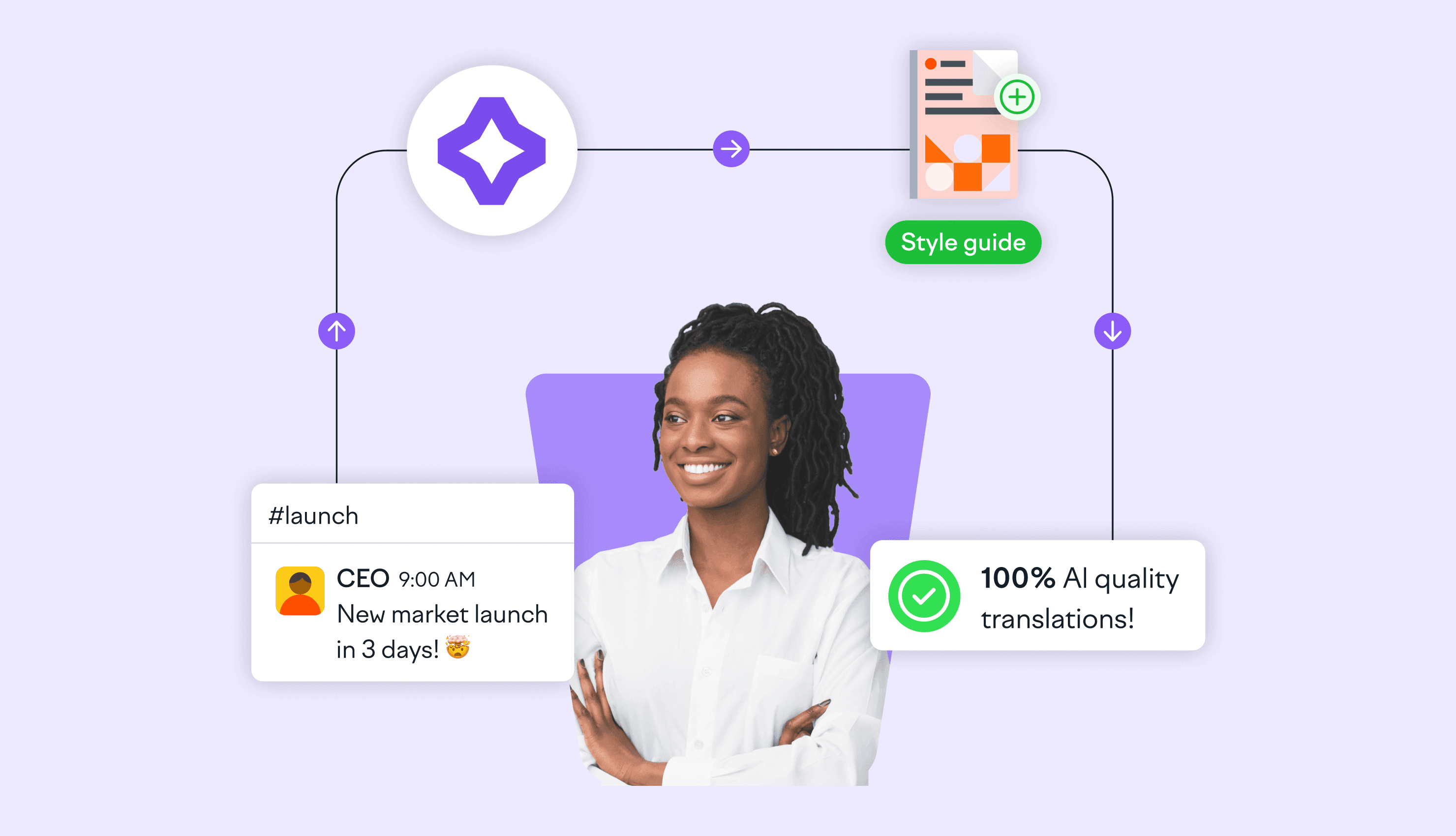
lokalise_ai_automations_blog_hero_image

Lokalise AI just got even more powerful. Not only can you get extra fast machine-generated translations with no loss in quality at the end, but you can also automate them so they happen like magic in the background. 

Plug content into Lokalise and forget about it... until it’s ready to be published.

Want to see how? Duh, of course, you do. 

👀 Check out this product tour

for a visual walkthrough of Lokalise AI Automations, or keep reading to learn how to optimize your workflow.

1. Discover AI Automations

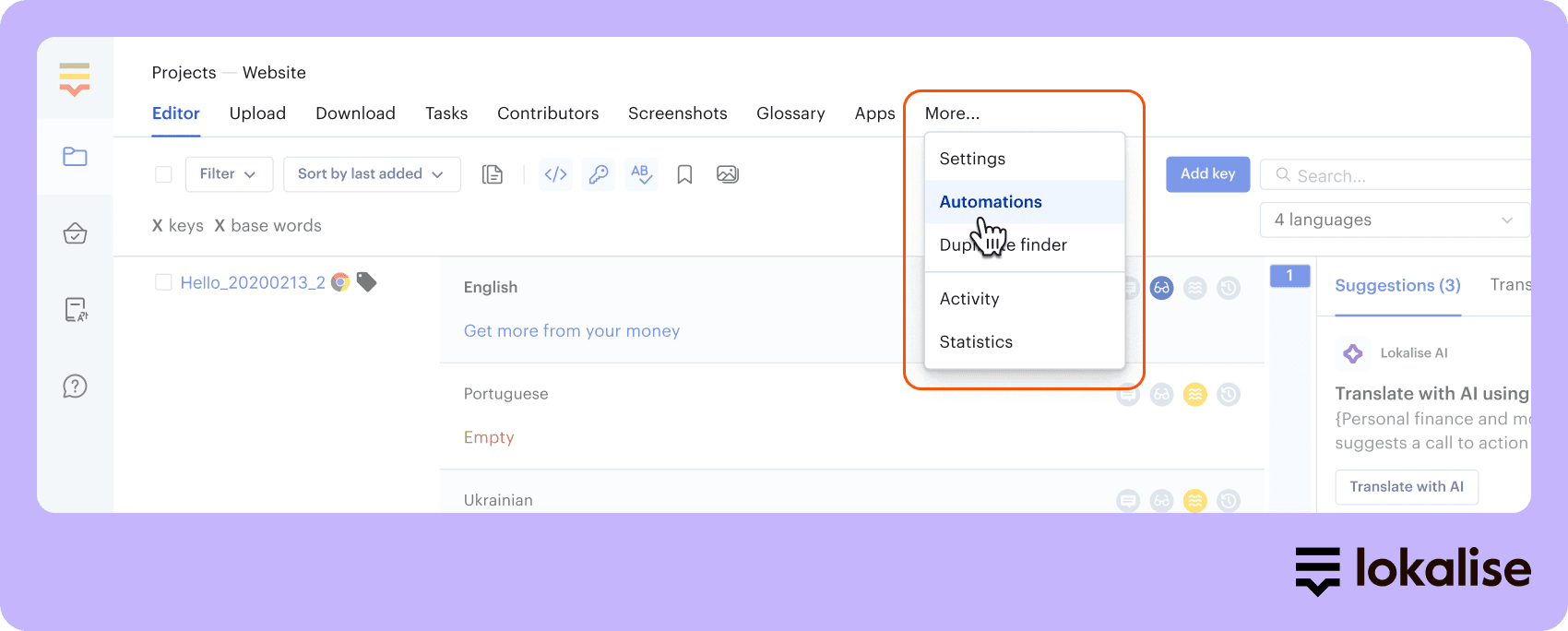
Assuming you’ve already set up a project in Lokalise, head to ‘More’ at the top of your dashboard and choose ‘Automations’ from the menu.

null

If you don’t have a project yet, see how to set one up before you try our fabdabulous AI automations – so good that we had to make up a word to describe them.

2. Create automation rules

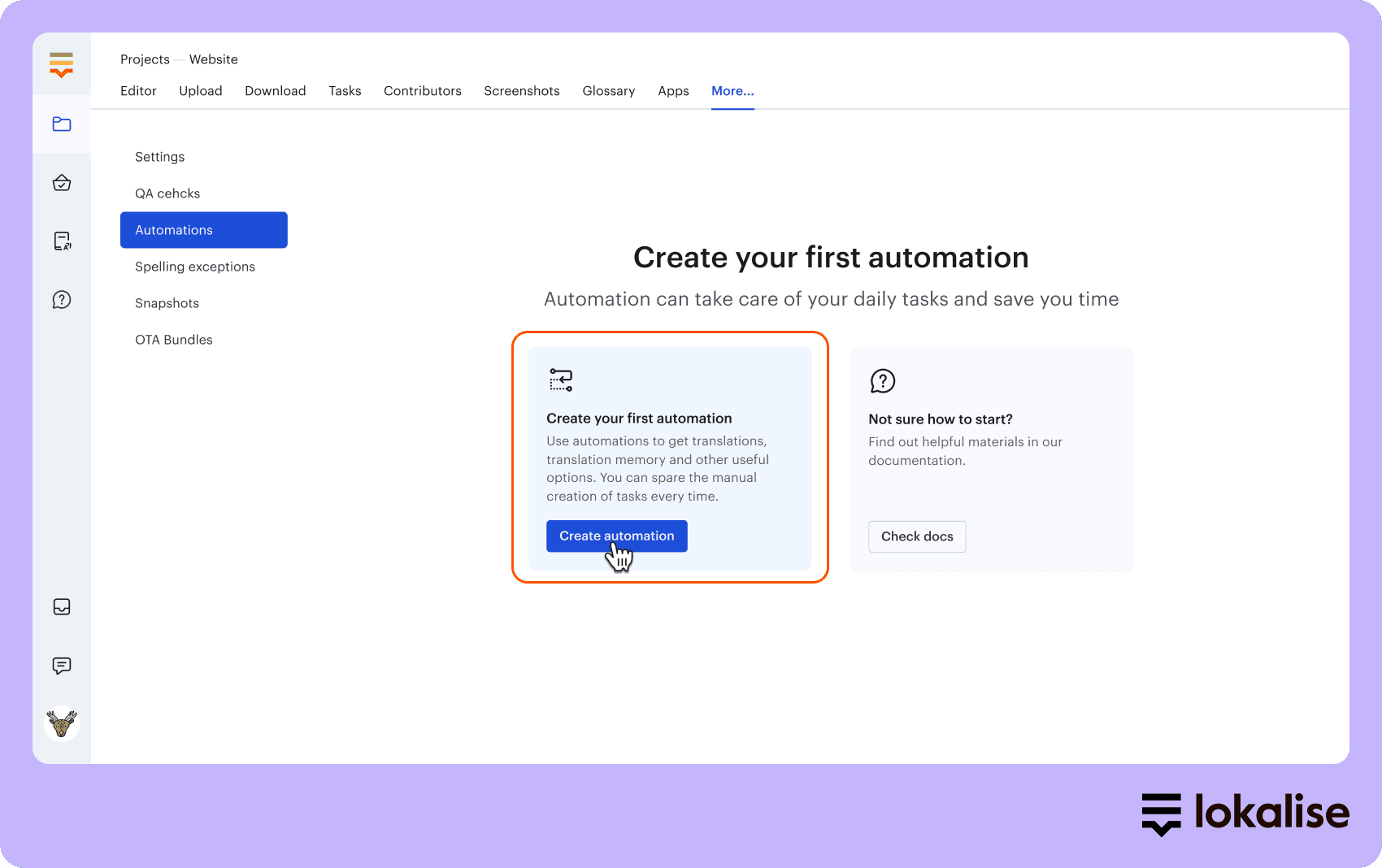
Go to ‘Create your first automation’ and a new window will appear. Here you can set up an IF-THEN rule-based system for your automations.

null

3. Set up translation memory 

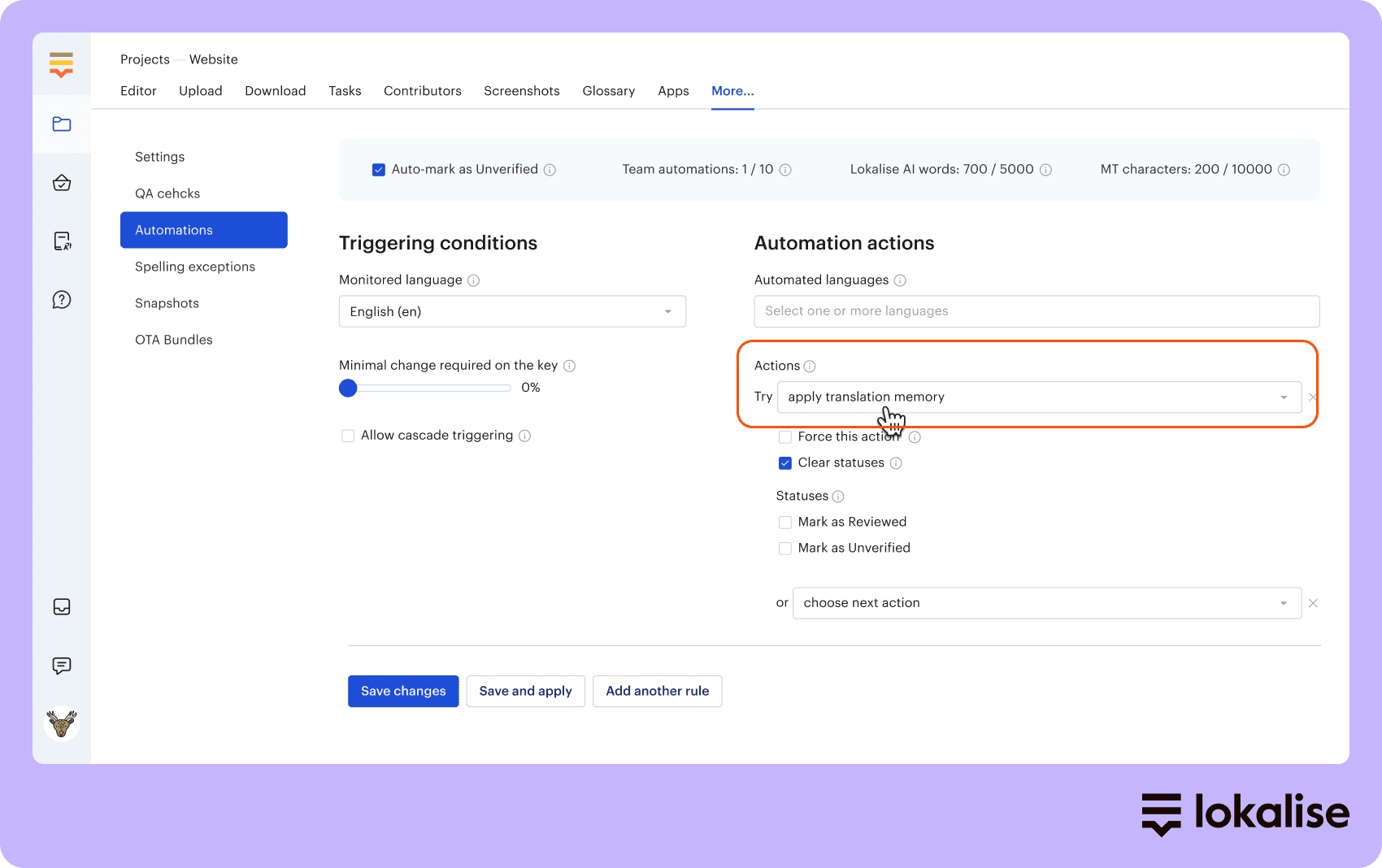
We recommend setting up translation memory as your first rule to save money on translations. Choose your translation threshold and reuse translations that are an exact-match or above (unless you’ve set 100% as your match threshold!).

null

📚 A quick recap about translation memory

Translation memory is a database of previous translations that can be reused whenever you have similar words and phrases you want to translate, without incurring extra costs. Read more about translation memory here.

4. Now it's time for some AI magic! 🪄

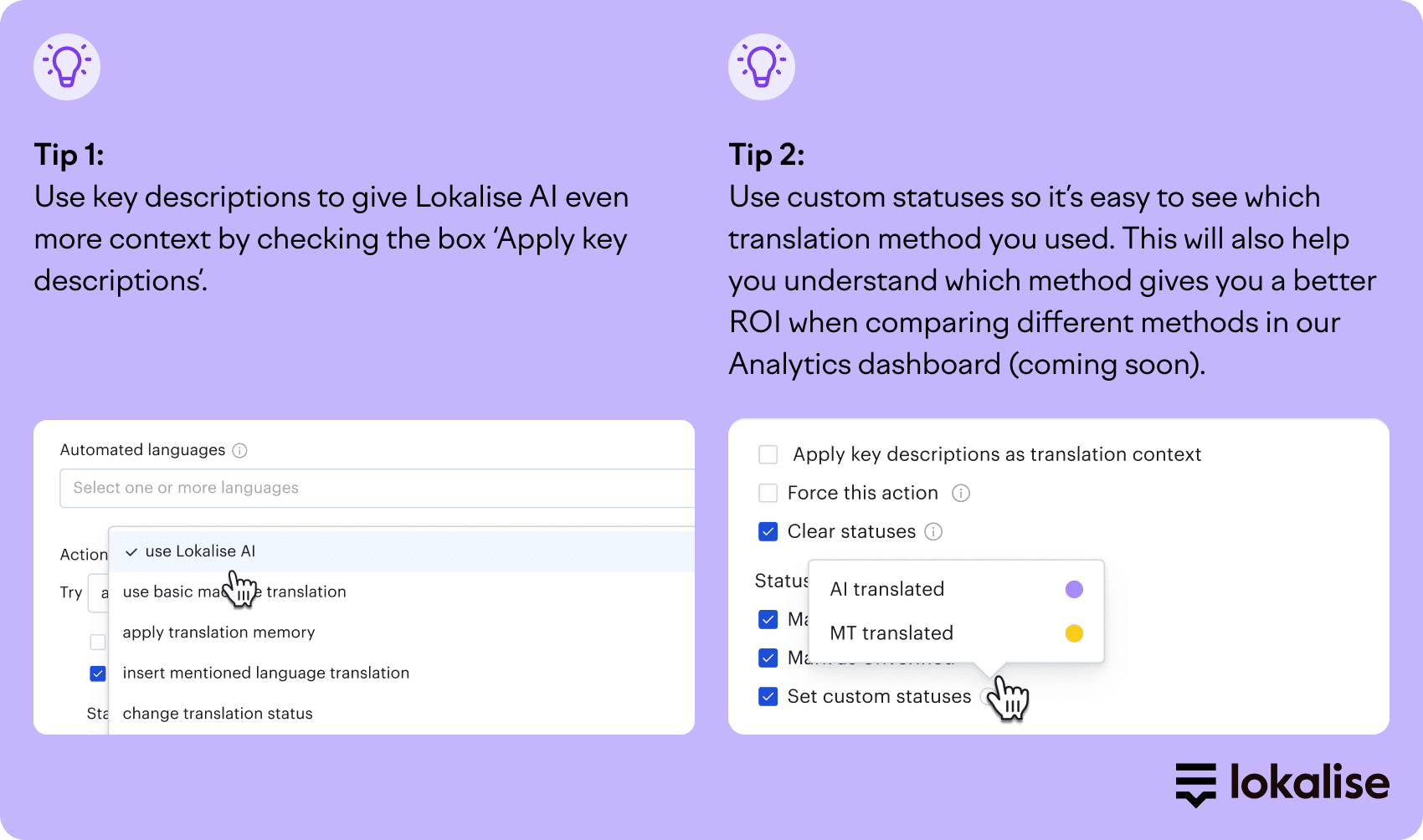
Choose 'Use Lokalise AI' as your next rule. Lokalise AI translates with context, including industry, placement of your translations, a glossary, and a style guide, to give accurate and on-brand translations the first time around. 

null

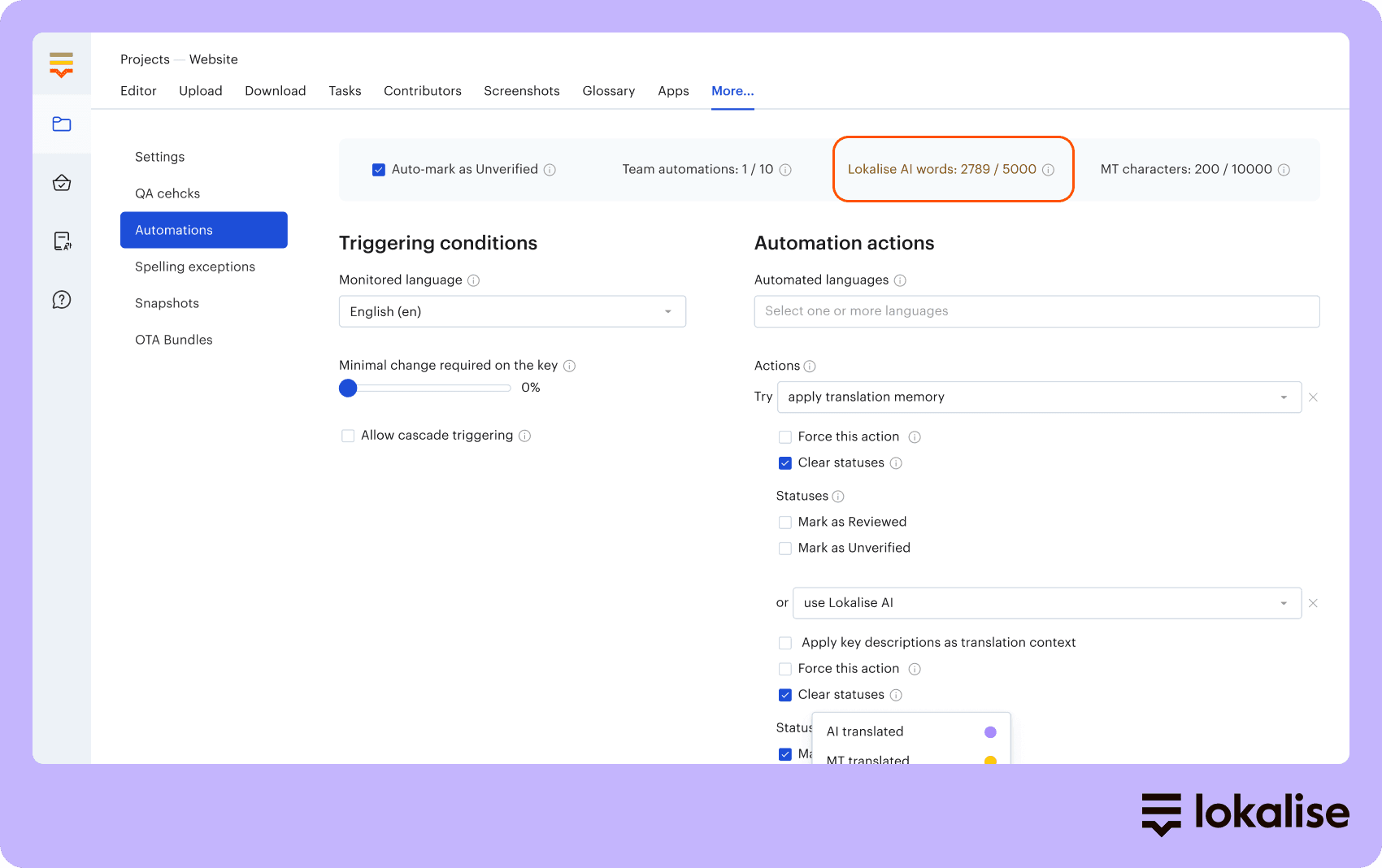
5. Check your AI word balance

So by this point, you’re probably feeling AI-happy and automating those AI translations like nobody’s business. 

Just make sure you don’t run out before that next all-important translation project! In the top right-hand corner of your dashboard, you’ll see how many words you have left out of your total balance.

null

Don’t worry, we’ll also notify you when you’re about to reach your AI word limit.

6. Optional: Add a translation backup

This is not compulsory but we recommend setting up a backup translation rule so you encounter any bottlenecks in your translation workflow.

💡Tip

Add Machine Translation as a backup method so translations are delivered even if you run out of AI words.

And that’s about it. Easy! For a guided tour on how to use AI automations, head here.

Until the next launch!

Product & News

Author

rachel wolff headshot

Lead copywriter

Meet Rachel, our Content Manager and Lead Copywriter, who pivoted from advertising to SaaS and has never looked back. 

Born and raised in the UK, Rachel has lived in London, Paris, Buenos Aires, and now Brussels. Through city-hopping, traveling, and her studies in French and Journalism, she’s picked up French and Spanish, and is now inventing her own language with help from her three-year-old daughter: Franglospanish! 

Outside work, Rachel enjoys making (and eating) fresh pasta, drawing, and spending as much time as possible outside, cycling, hiking, or running.

figma whats new feb blog article

What’s new in February: Make your Figma designers punch the air with happiness (and keep ALL keys linked), and make merging branches seamless for all project sizes

Great news for our Figma community! You can copy and paste Frames or Artboards without having to manually link keys. This means you can iterate quickly, ensure consistency, and save valuable time. What's changing with our Figma plugin? All translation keys will be linked when duplicating design elements. This means: When you copy and paste Frames or Artboards, all keys wil


Updated on May 8, 2025·Rachel Wolff

Stop wasting time with manual localization tasks.

Launch global products days from now.

  • Lokalise_Arduino_logo_28732514bb (1).svg
  • mastercard_logo2.svg
  • 1273-Starbucks_logo.svg
  • 1277_Withings_logo_826d84320d (1).svg
  • Revolut_logo2.svg
  • hyuindai_logo2.svg